9. Intelligent assistant
The assistant has two main modes: data Q&A / analysis and scenario building.
9.1 Data Q&A
Best for asking questions directly, inspecting data, and doing attribution. The assistant queries ontology objects and metrics, calls analysis plans when needed, and returns conclusions with evidence.
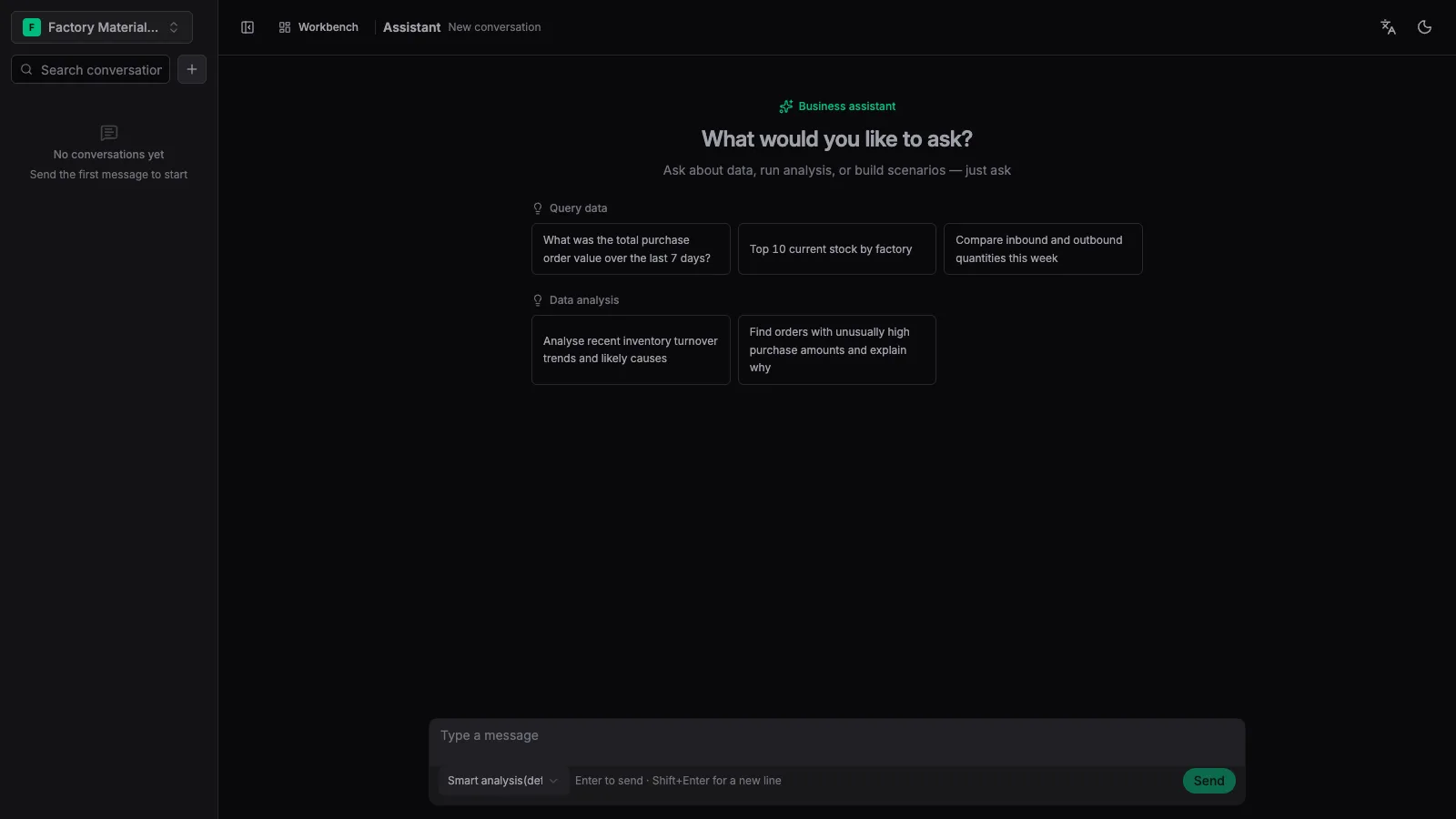
1. Ask in the analysis profile
Enter a business question — e.g. “Inventory the slow-moving materials of factory 1000” — or click a suggested prompt.
2. The assistant queries and analyzes
It reads the ontology, metrics and analysis plans, then filters, aggregates and attributes as needed.
3. Read conclusions & evidence
Answers typically include the conclusion, supporting data, and context for follow-up questions. Scroll to the bottom of the session to see the final result.
9.2 Scenario building
Best for organizing a business idea into an installable scenario asset — objects, datasets, pipelines and workflows.
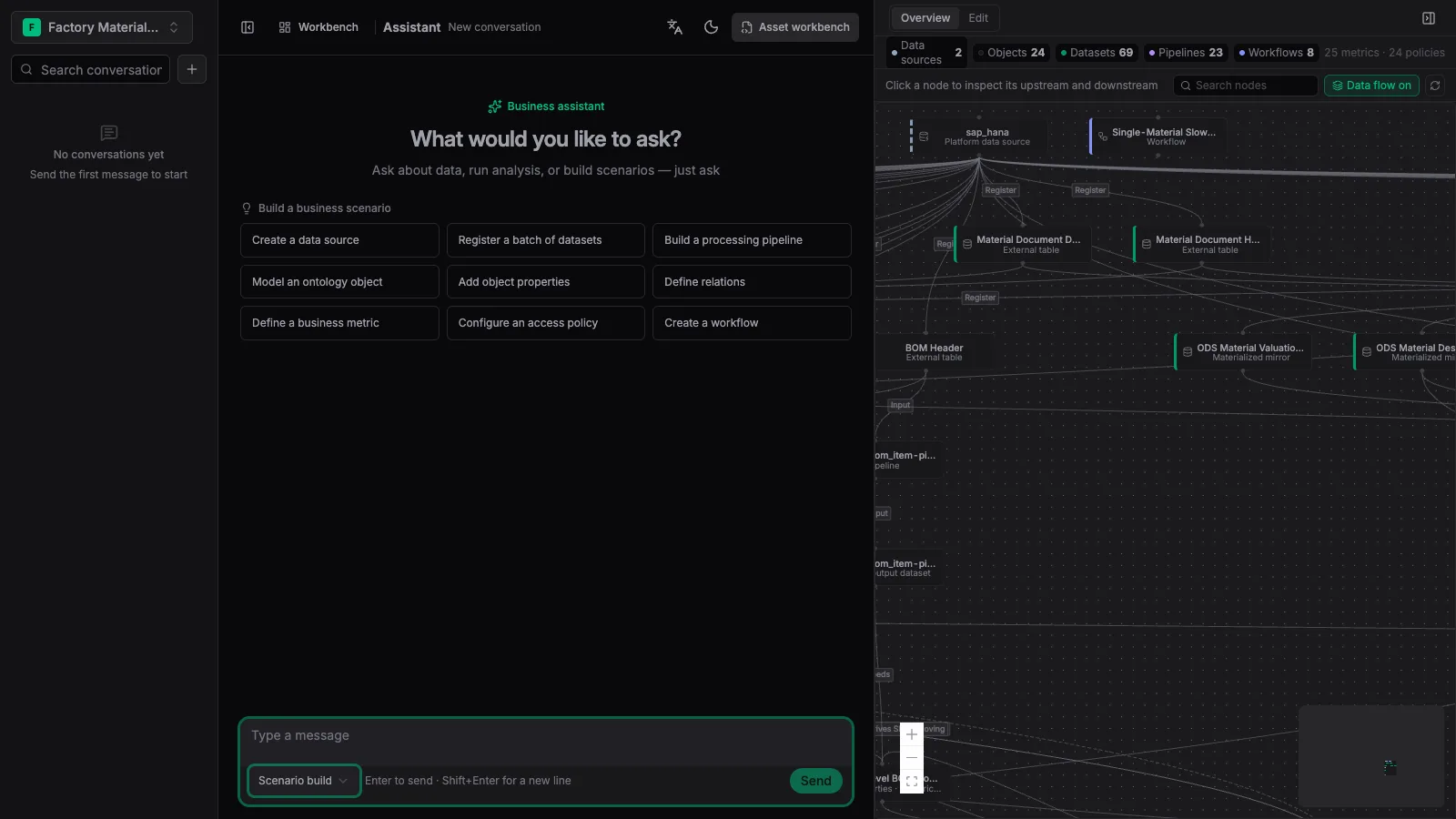
1. Switch to the scenario-building profile
Pick “Scenario building” in the profile dropdown above the input box.
2. Review the scenario overview
The assistant first produces a scenario overview, then enters the asset workbench.
3. Edit & inspect nodes
In edit mode, click object, datasource, pipeline or workflow nodes — the right side shows properties, relationships and data mappings.
4. Inspect the data flow
Open [Data flow] to check dependencies between nodes and predict which downstream assets a change would affect.
Every read and write the assistant performs is constrained by workspace permissions, ontology definitions and actions — it never bypasses access policies to write to the underlying databases.