6. Object Explorer
The object explorer reads the ontology’s runtime schema directly to query object instances, filter properties and drill through relationships.
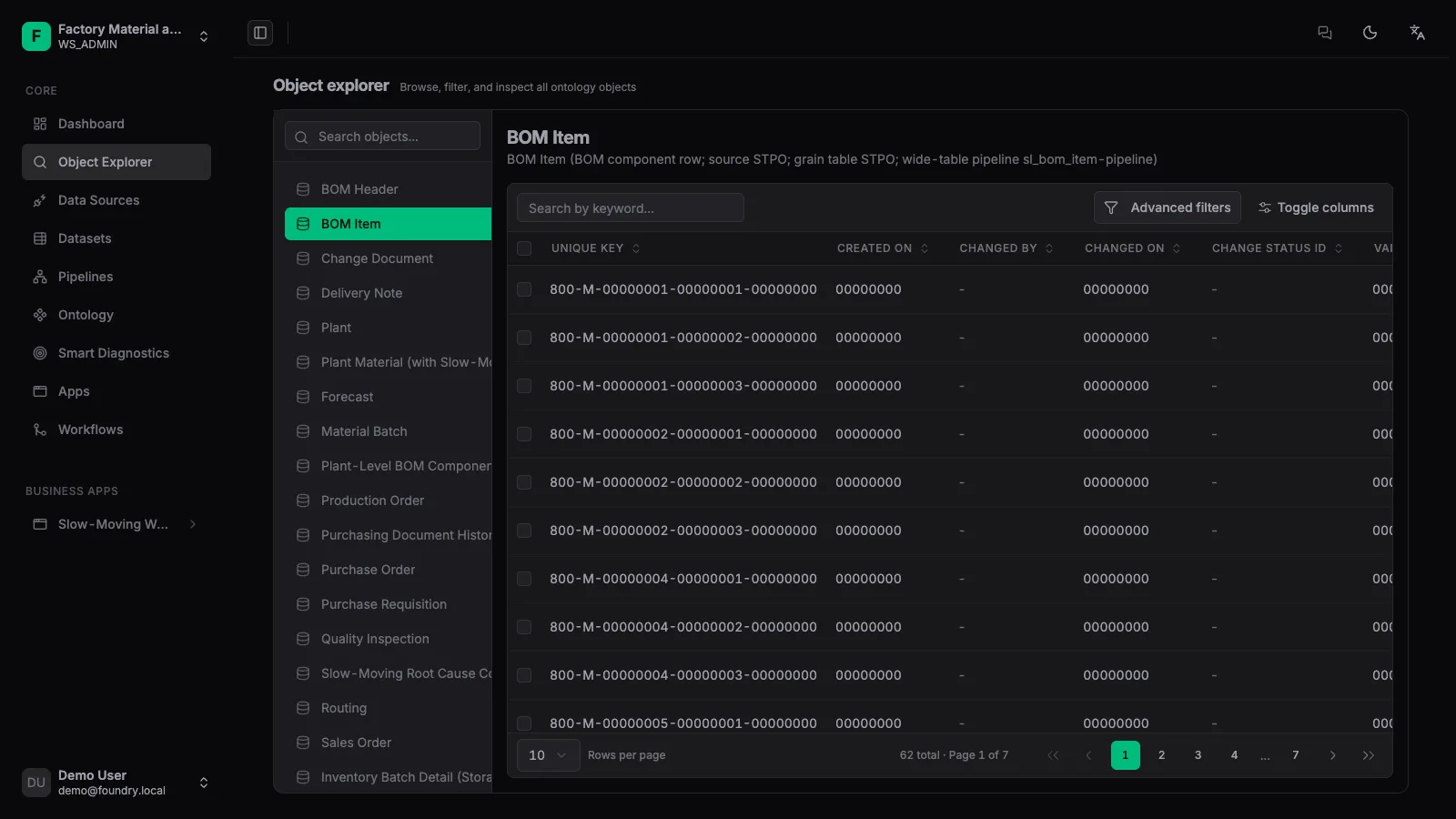
1. Pick an object
Select a published object type on the left, e.g. BOM line item.
2. Query & filter
Use the top search box, property filters and column sorting to narrow down.
3. Open the 360 view
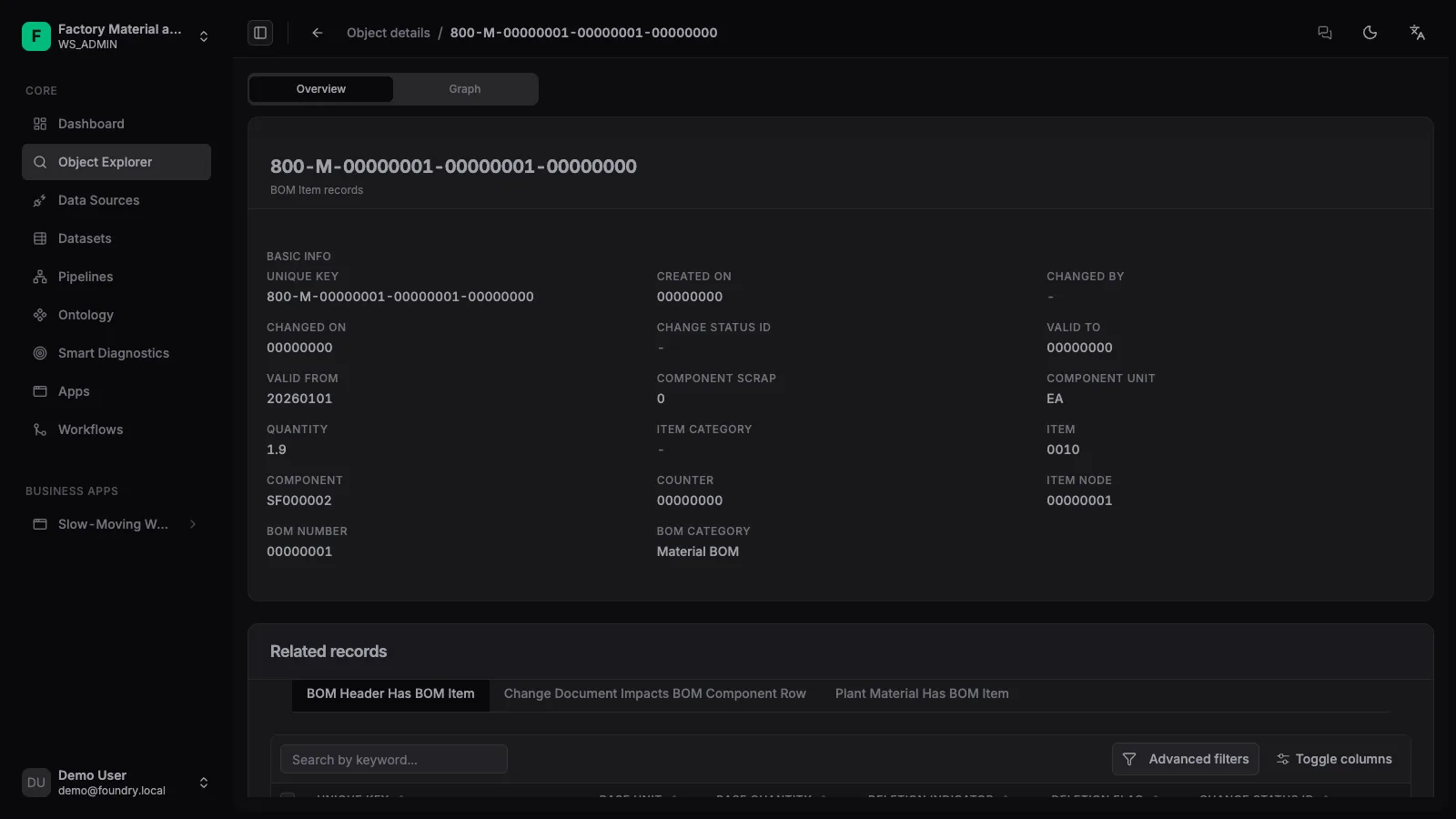
Click a row to open the object 360 — base properties, related objects and business information.
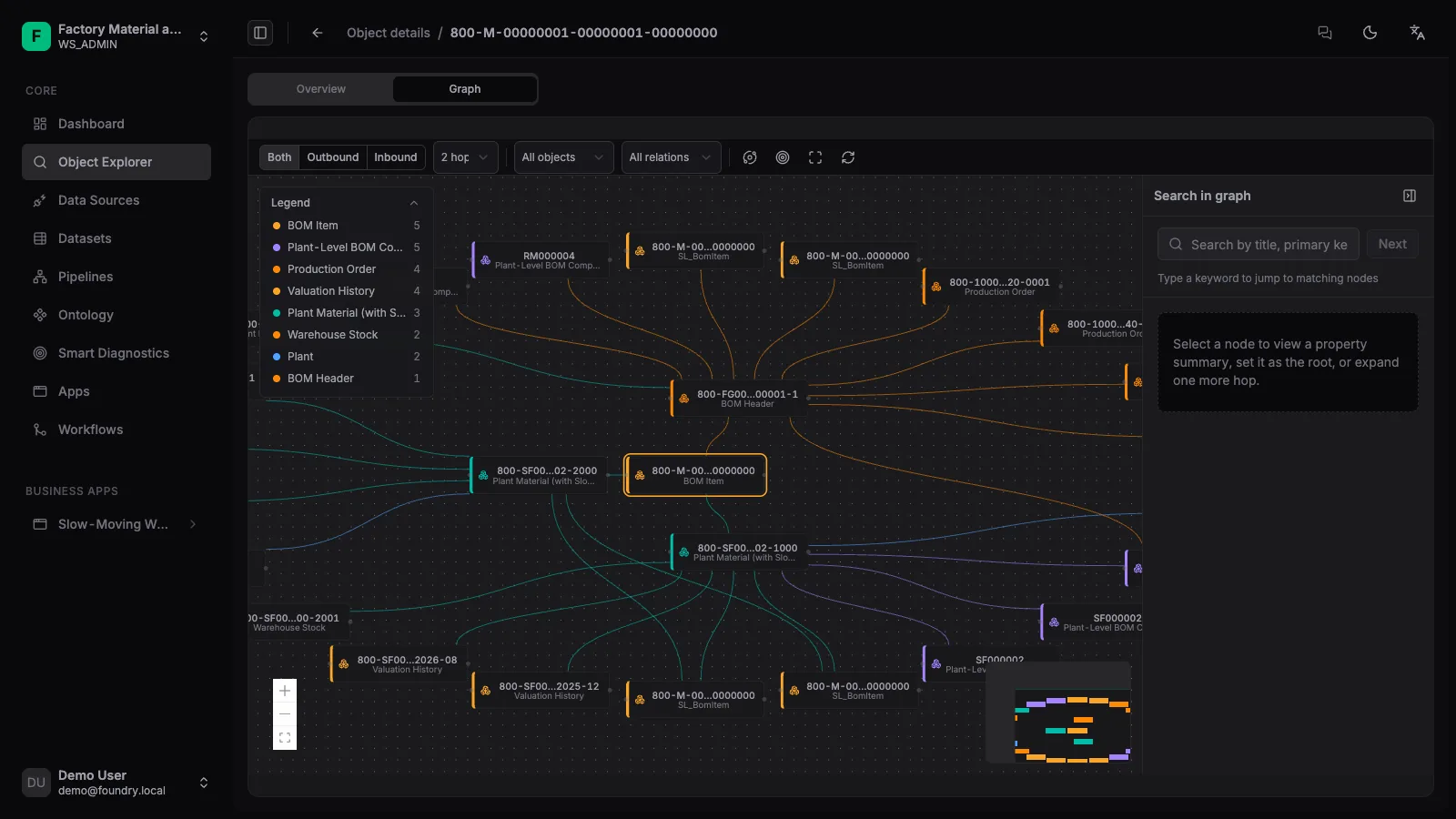
4. Roam the graph
Switch to [Graph] and choose direction and depth. The screenshot below selected 2 hops.
The explorer suits generic browsing and troubleshooting. When you need tailored layouts and workflows, build a business app page with App Builder instead.