1. Connect datasources
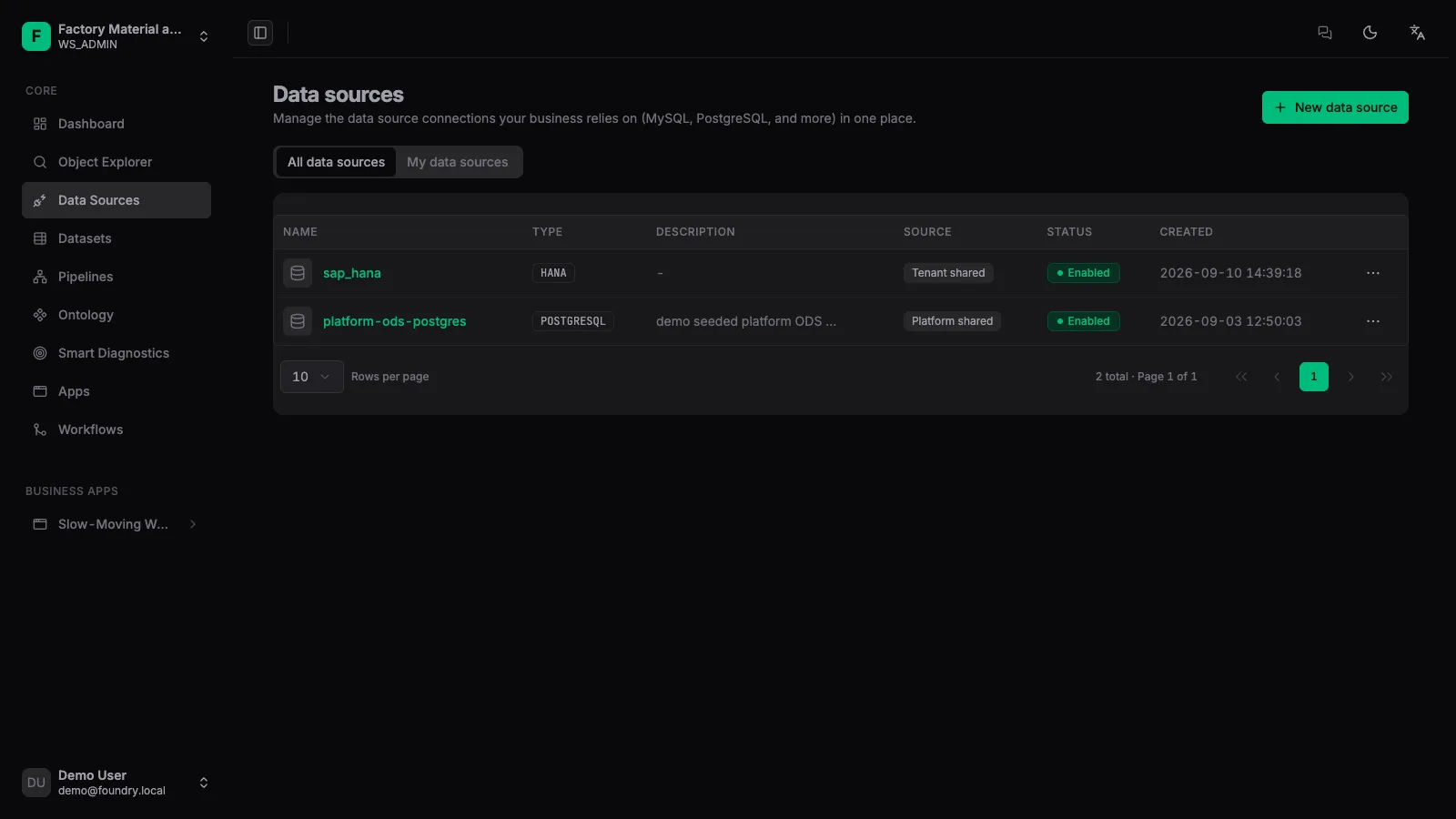
Datasources hold the connection credentials between the platform and external systems; they store no business data themselves.
Supported types
Relational databases, message queues, S3-compatible object storage, and REST APIs.
1. Create a datasource
Open [Datasources] in the left navigation, click [New datasource], and choose the database type.
2. Fill in the connection
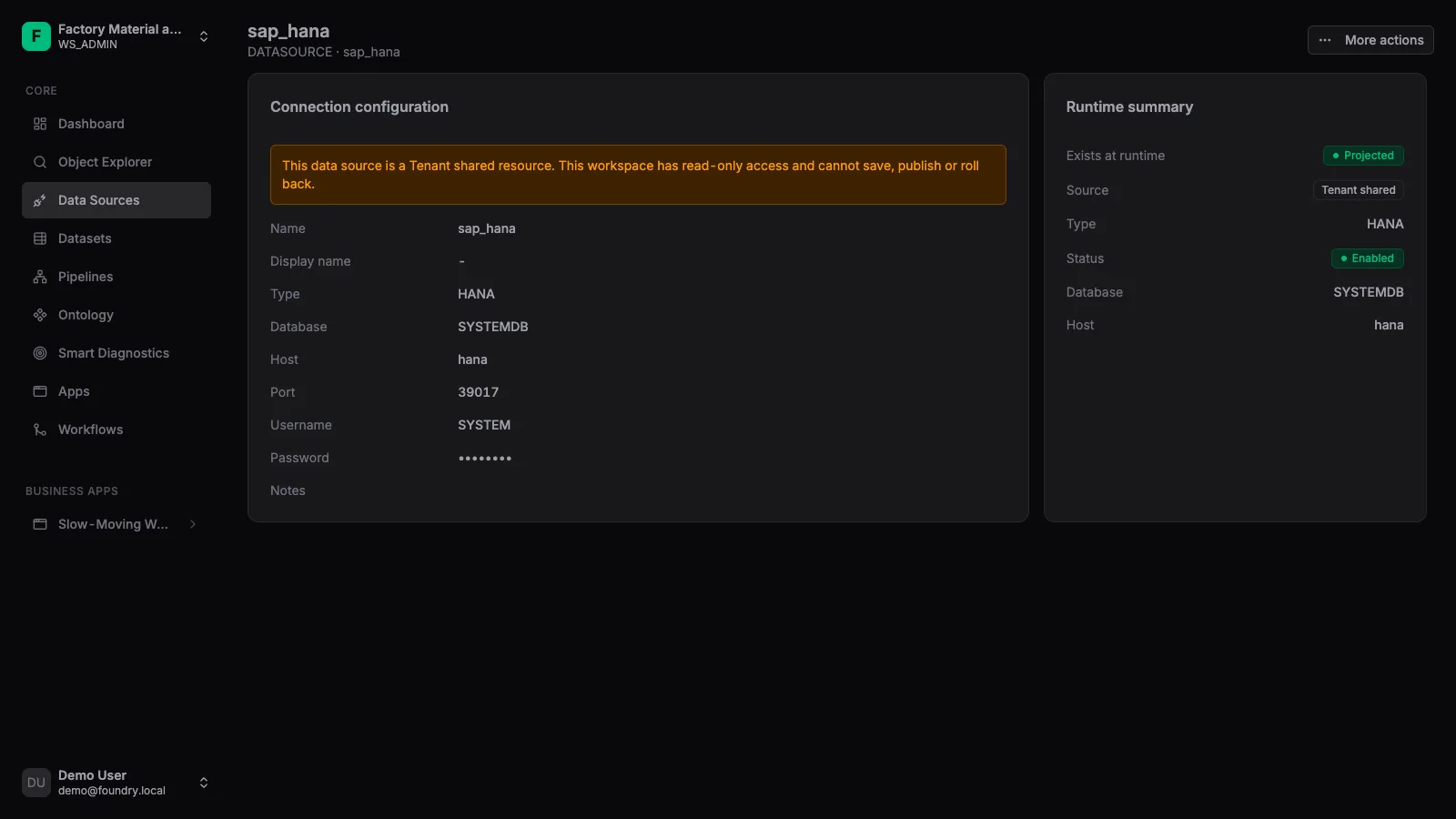
Enter the host, port, database name and credentials. The platform stores sensitive fields encrypted.
3. Test and save
Click [Test connection]; after it passes, save — the status becomes ACTIVE.
4. View details
The detail page shows connection configuration and runtime status; tenant-shared datasources may be read-only.
⚠️
If the database sits inside an intranet VPC, you need a security-group allowlist or a local probe. See the deployment guide.